

Apple released new iPad Pro models in early November 2018. I have had the original 12.9 inch iPad Pro for over three years so I was very curious about what Apple would release. They didn’t disappoint!

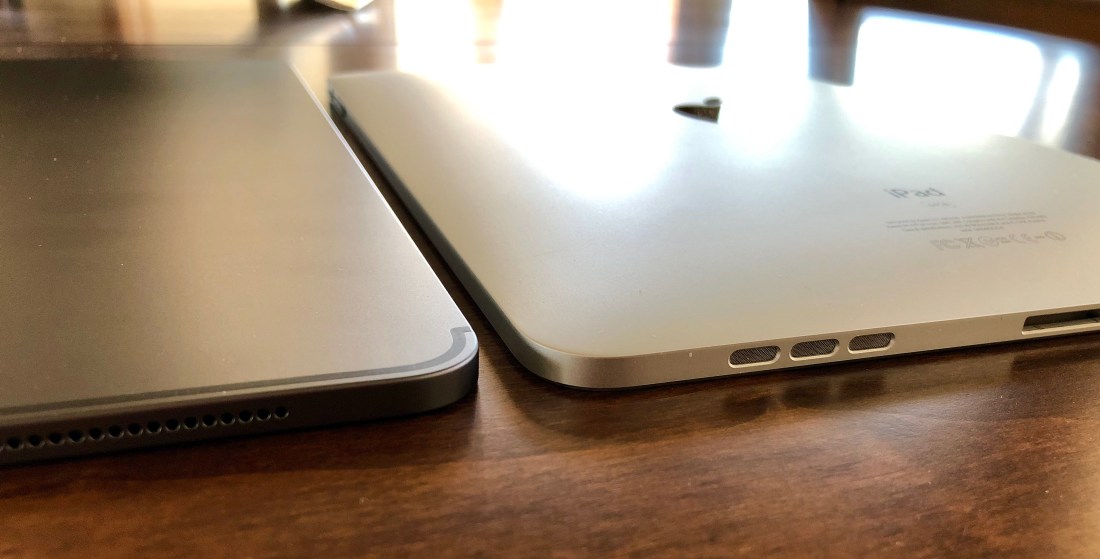
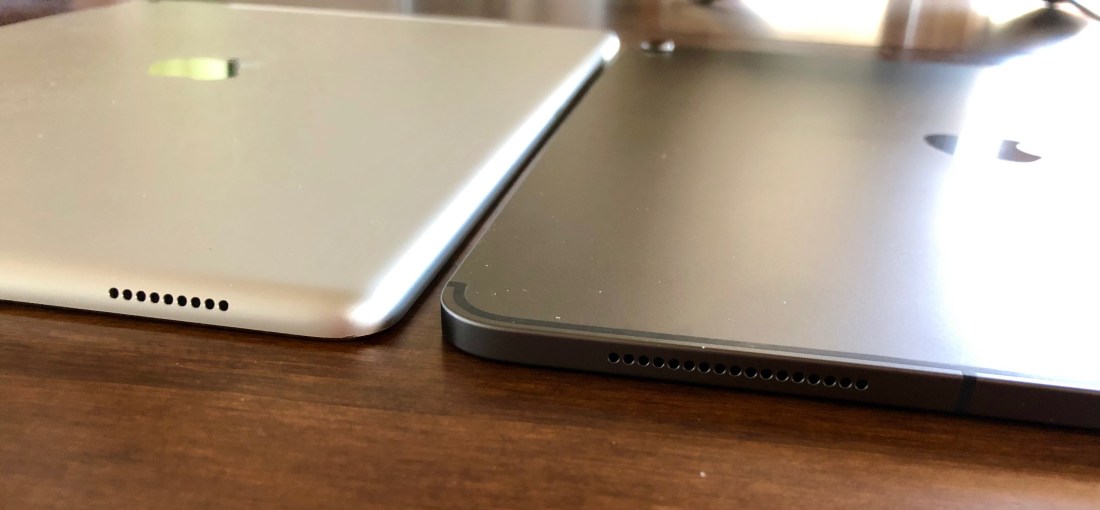
By far the biggest change is the move to using Face ID, similar to the iPhone X series. By doing this Apple was able to shrink the bezels and remove the home button. They kept the physical size of the smaller iPad and increased its screen size from 10.5 inches to 11 inches. For the larger iPad they kept the original screen size of 12.9 inches and decreased the external dimensions to about the size of a sheet of paper at 8.5 x 11 inches. Both iPads are now the same thickness at 5.9mm which is a little thinner then they were before. The lightning port has also changed to a USB 3 port and the headphone jack has been eliminated. Good and bad…
The size change, I feel, was a win – win for both sizes as shrinking the smaller size would have made external keyboards a little cramped while the larger size was just too large initially and now feels exactly right.
I have to say I love the new design as well as Face ID which has replaced the home button. Face ID gives you the ability to unlock the iPad from any position by just tapping on the screen. I find it works better than the iPhone X as it functions no matter how the iPad is rotated and seems to also work at a greater distance from my face. Basically it just works better at recognizing me. A big improvement when picking up the iPad to use it.
Other areas have had more incremental improvements including the screen, sound and speed. All are improved but not hugely so. Well, except for the speed. Based on Apple’s specs, speed has been increased by a significant amount and I don’t doubt that at all. I just haven’t used any applications yet that would really push the processor.
On the Apple accessory front, there are new versions of both the Smart Keyboard and the Pencil. The Smart Keyboard is now a “folio” vs. a “cover” design. Basically there is a new panel on the folio that protects the back of the iPad. The folio also folds and unfolds differently than the cover did. The connector has also moved from the side of the iPad to the back. Overall this is probably a better design as the camera bump seems to protrude a bit more on the new iPads and the folio cover protects it. Finally, the sizes of the keyboards were adjusted to the new iPad sizes.
The Pencil has had several major modifications as well. It is now shorter, has a single flat edge, has a mat finish and connects magnetically to the side of the iPad. This connection is used to both charge and pair the Pencil to the iPad so the Lightening connecter is no longer needed and has been removed. Finally the ability to “double tap” the end of the Pencil has been added. The function of the double tap will vary a bit with each application as developers add this new capability to their software.
Now that we’ve covered the major changes, what is it like to use? Well, it is like an iPad with all their good and bad points. Just faster, more refined and in the case of the 12.9 inch iPad, a much better size.
First. speed. I think the easiest way to describe the speed is just to say that everything now happens almost instantaneously. Opening apps, using wifi, using apps, whatever. There just isn’t any waiting.
Refinement. Everywhere. The physical shape, the construction, how the Pencil interacts, how the keyboard functions, both from a typing and attaching perspective (it isn’t very pretty though). It feels like every touch point, every interaction, is just a bit more polished, a bit smoother. More refined!
Size. I’ll speak specifically to the 12.9 inch iPad here. For me, this is the biggest improvement. It has taken the larger iPad Pro from cumbersome to just about perfect. Enough so that I think it is now the “sweet spot” for iPads, size wise. As with anything though, it depends on what you need or want from an iPad.
I have debated long and hard if the smaller iPad Pro would be the better choice for me. I consume data on an iPad a bit more than I work on one so I’ve long thought the smaller one may be a better choice. After using the new 12.9 inch, I no longer feel that way. The debate is over, for me, for now.
This brings me to the “elephant in the room”, iOS. While iOS is a great operating system, it feels like it is getting left behind by the hardware. I’m specifically talking about the iPad vs. the iPhone in this case. The iPad feels way more capable than the operating system “allows” it to be. This issue has really existed since the first iPad Pros were released three years ago but has become more apparent with each new release. The areas that appear most in need of improvement are the file system and being able to access files more easily from not only the iPad but also from connected devices, networks and across applications on the iPad. The other main area of improvement is the need for more and better capabilities in the area of multitasking. Last but not least, an external way to more accurately point to specific places on the screen would be nice. Think Trackpad.
None of the items listed above are cutting edge technology. In some cases, trimmed down versions have existed on iPads for years. It just feels like, with the new iPad Pros, that a tipping point has been reached and the hardware now is so far ahead of the software that the functionality that is lacking or not fully developed, has become a glaring issue that is holding the iPad Pro back from what it could be.
Applications. There are many, many great applications available for the iPad. IA Writer, which I am using to write this, is one of them. The problem is, some of the major applications, Microsoft Office for example, are still not feature complete on iOS compared to the Mac or Windows versions. This may be due to lack of features in iOS or lack of sales on iOS.
Finally, can the iPad be your “only” computer. Yes, if it does everything you need and no if it cannot. In reality, it isn’t quite that simple. The iPad, may in fact be able to do everything you need, but it may not be as efficient as a Mac or PC would be to do it. It may however work perfectly as a travel computer while your main computer continues to be a desktop or even a laptop. In any event, the new iPad Pros are worth a serious look. I can’t imagine Apple isn’t working on a significant update to iOS that includes many of the items mentioned above. It just doesn’t make sense to have this kind of hardware and not have an operating system capable of taking advantage of it.
Highly recommended, if it fits your needs.

 The More We Learn, The Less We Know